

Comprehensive analysis tools
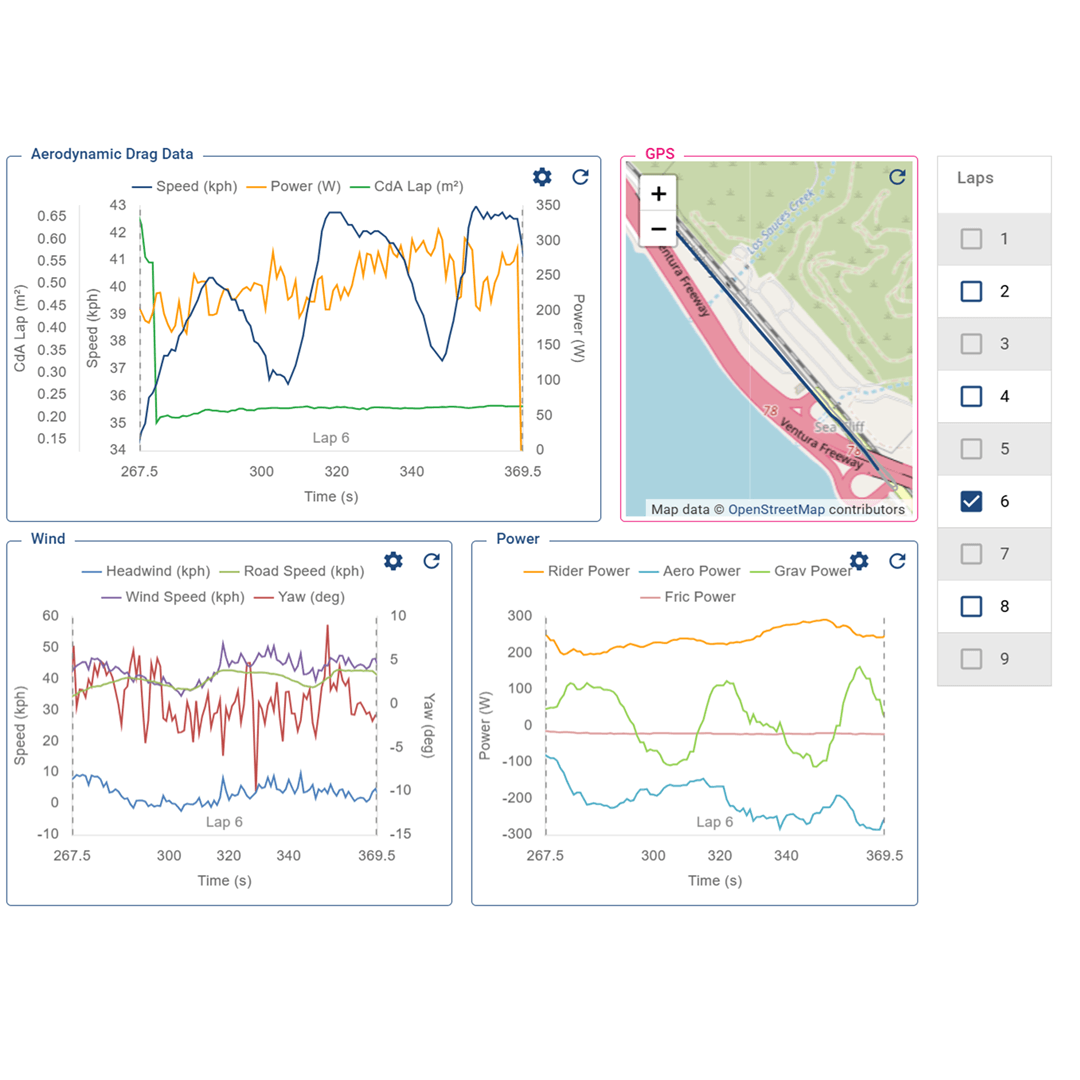
Beyond automatic syncing, Aeroportal offers comprehensive analysis tools: organise runs into testing sessions, edit parameters and save configurations, view Watts/CdA charts, and our time history feature which displays all your data points, including your position in time on an interactive map, at any moment during your run.
Comprehensive analysis tools
Beyond automatic syncing, Aeroportal offers comprehensive analysis tools: organise runs intotesting sessions, edit parameters and save configurations, view Watts/CdA charts, and our time history feature which displays all your data points, including your position in time on an interactive map, at any moment during your run.
Quantify aerodynamic gains
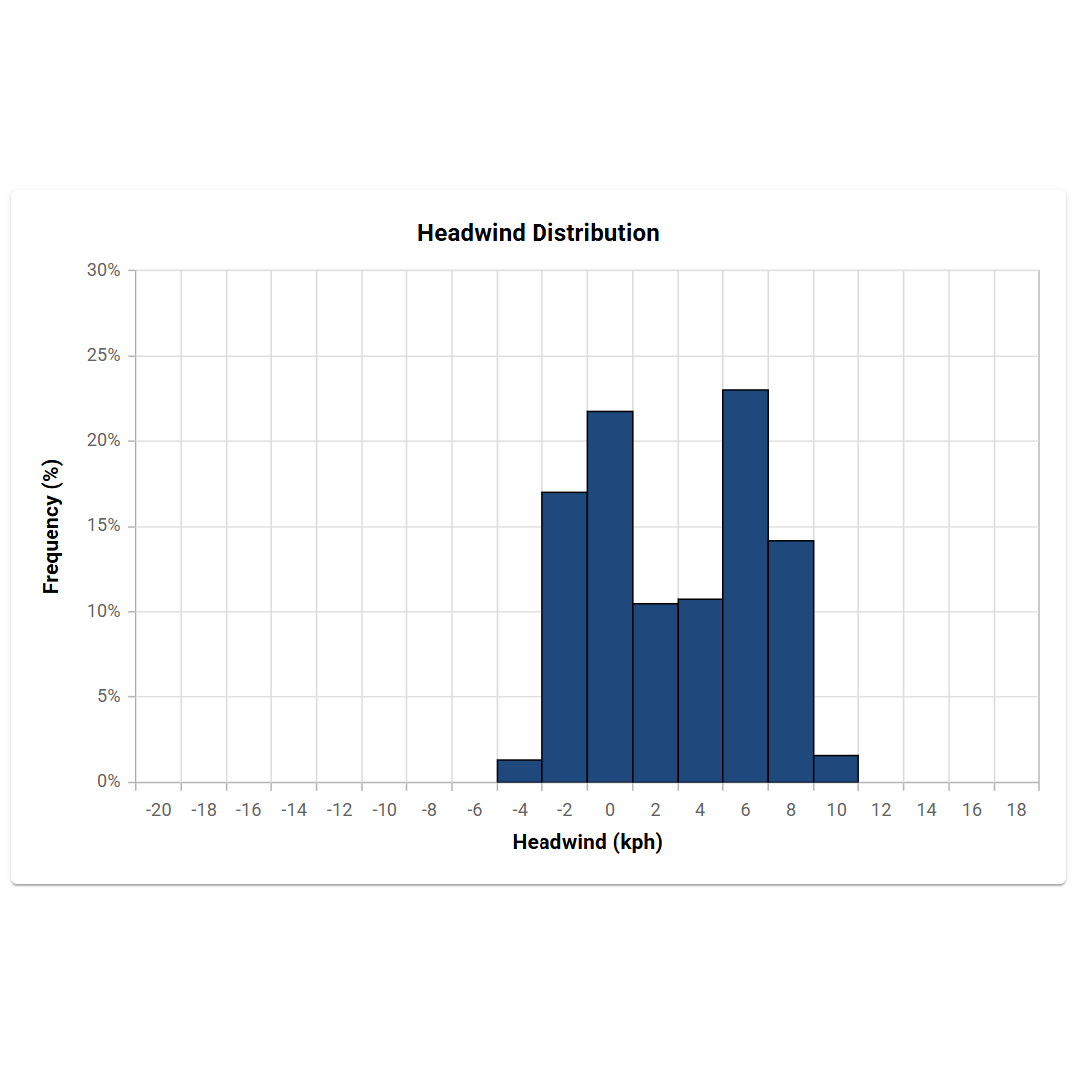
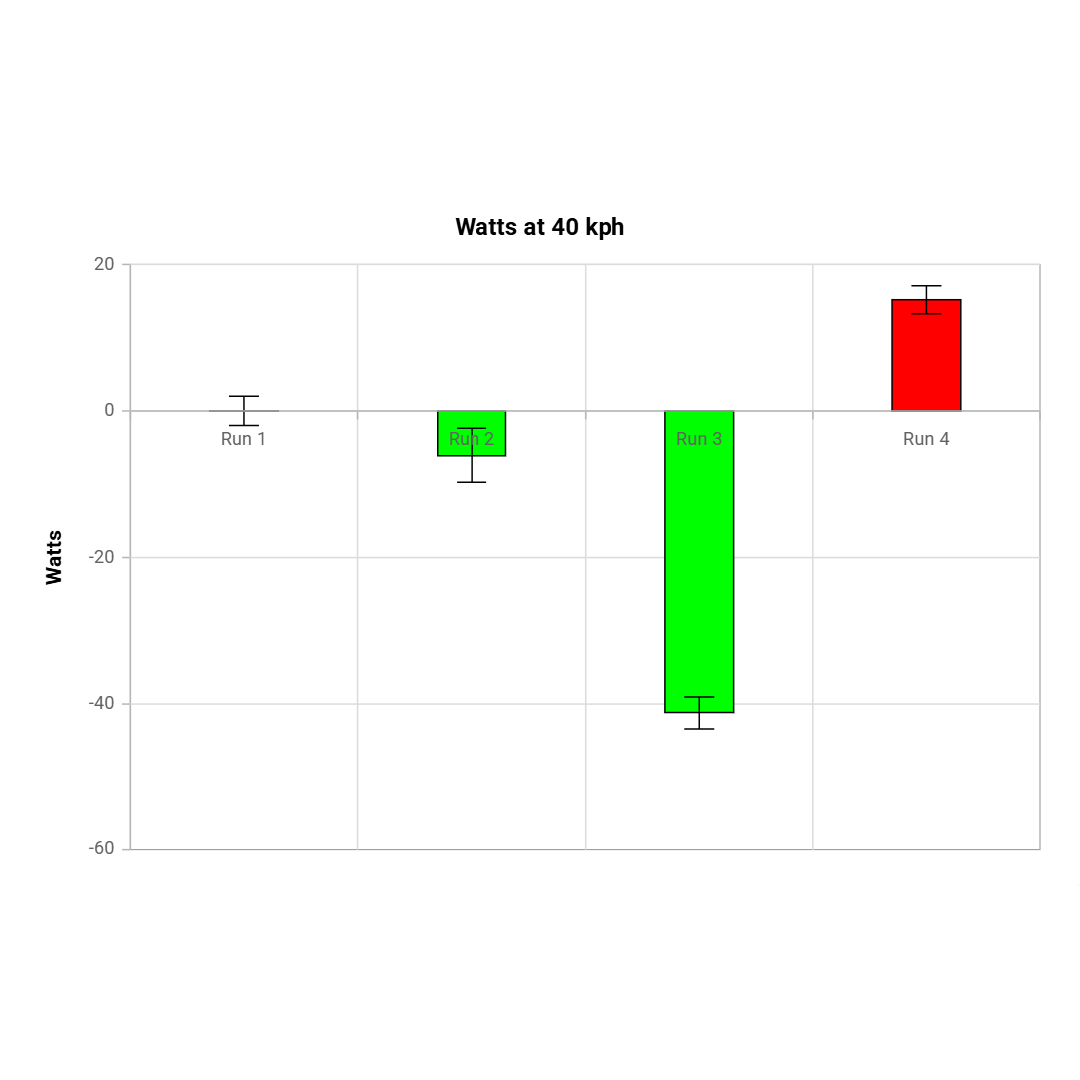
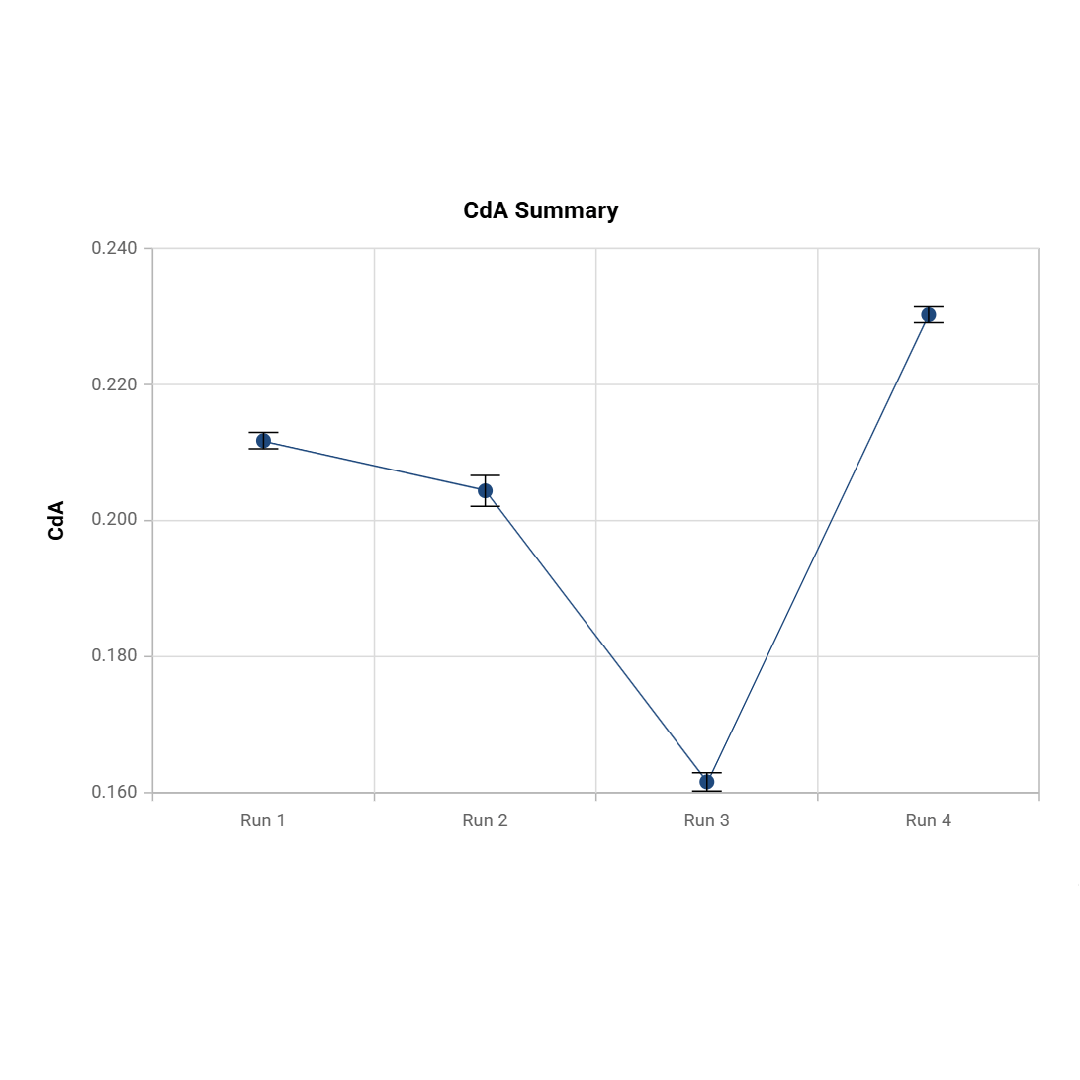
Aeroportal also supports manual FIT file uploads, downloadable run data, and detailed lap-by-lap analysis. Calculate out-back and lap averages, review wind variation histograms, and compare runs against your baseline to quantify aerodynamic gains in both CdA and watts.
Quantify aerodynamic gains
Aeroportal also supports manual FIT file uploads, downloadable run data, and detailed lap-by-lap analysis. Calculate out-back and lap averages, review wind variation histograms, and compare runs against your baseline to quantify aerodynamic gains in both CdA and watts.
Key Specifications
- Near real-time data availability after testing
- Watts/CdA analysis and baseline comparisons
- Wind condition histograms and lap validation
- Interactive time history map view
- Session-based run organisation
- Configurable parameters which are saved
- Manual FIT file upload and data export
How it works
Using our ACS Connect IQ app on your Garmin head unit, simply start a run with your aerosensor device. When your head unit syncs with your phone, the data flows automatically to Aeroportal, where it's ready for analysis almost immediately. This real-time workflow means you can validate your testing protocol, spot errors, and optimise configurations while still at the track or road.


